
Watch
Every tool call is written into the conversation as it happens.
An AI coding agent for VS Code
Most agents are a black box. You send a task, you wait, and you find out afterwards what happened. Plato shows the work as it happens, and lets you act on it in the middle.
Made by Applivity.
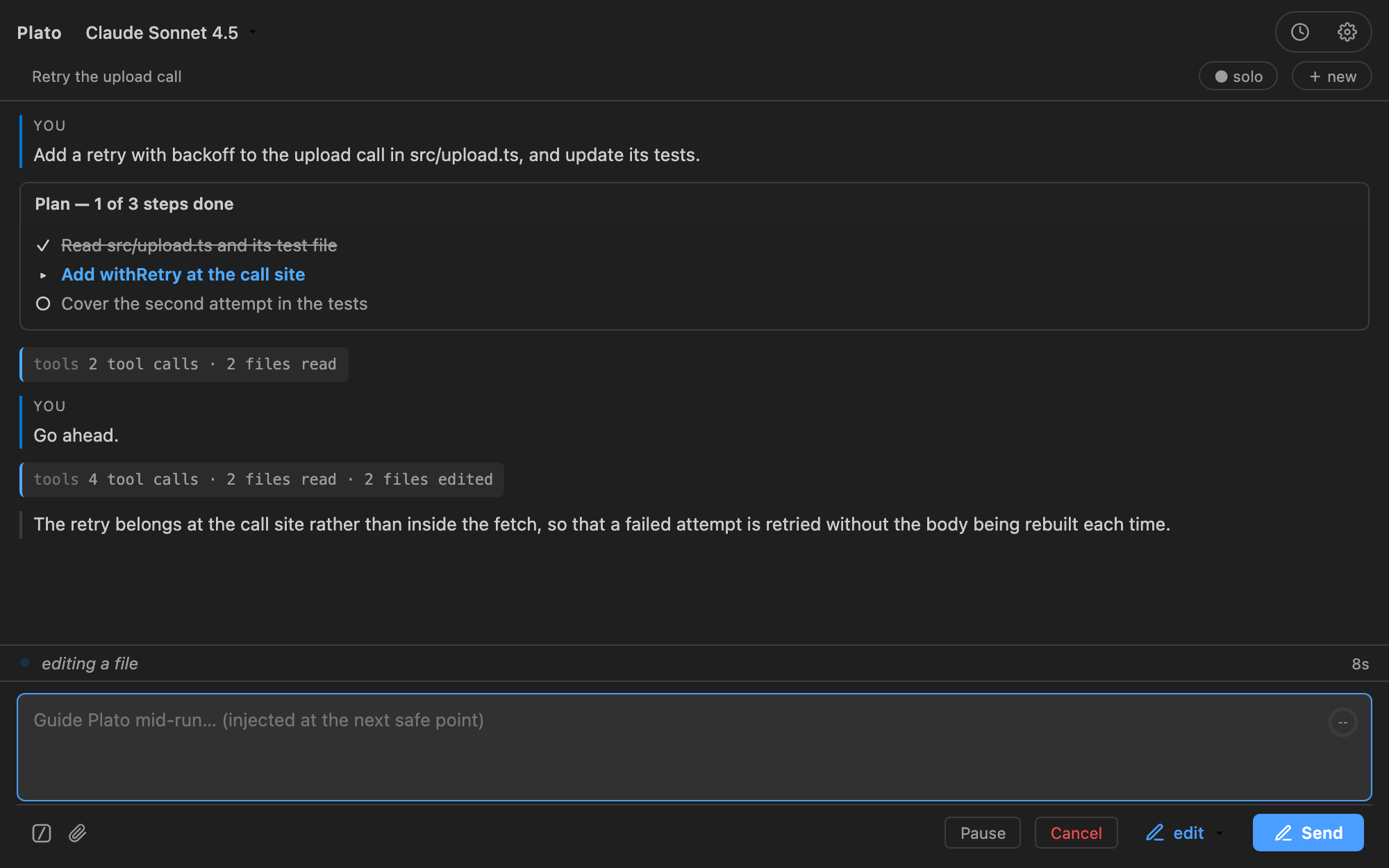
This is the part most agents leave out. Plato writes each step into the conversation as it runs, and it reads what you type at the next safe point.
Describe the change in the composer. Plato starts.
Every tool call appears as it runs — the file it reads, the search it makes, the write it proposes.
The composer stays live while the work continues. Your message reaches Plato inside the same task.
It picks up your guidance at the next safe point, and keeps going.
Every tool call is written into the conversation as it happens.
Typing during a run reaches Plato inside that run.
Plato stops at the next safe point. The button has three states, because a pause is a request before it is a fact.
/queueHold a message for the next task. During a run, the composer means “change this run”, so this is the one thing it cannot say.
![A conversation where the developer typed guidance during the task. The transcript shows a “[guide]” row reading “Keep the public signature — sync.ts calls it directly”, and the composer reads “Guide Plato mid-run… (injected at the next safe point)” with Pause and Cancel buttons.](assets/shots/02-guidance-during-run.png)
The clearest description is the shortest one.
plan looks and does not touch. edit changes the project and asks first. auto asks nothing.
planRead-only. Plato can look at files and run commands that only read, but never changes anything on disk.
Nothing is written until you change the mode.
editWrites and commands, each behind an approval card.
A file you approve once is not asked about again this session.
autoNo approval clicks, web requests included. Plato runs end-to-end on its own.
Watch it, and stop it if it goes wrong.
The run record names the mode it began in, so you can always tell how a task started.
Change it mid-run and it takes effect on Plato’s next action, in the same turn.
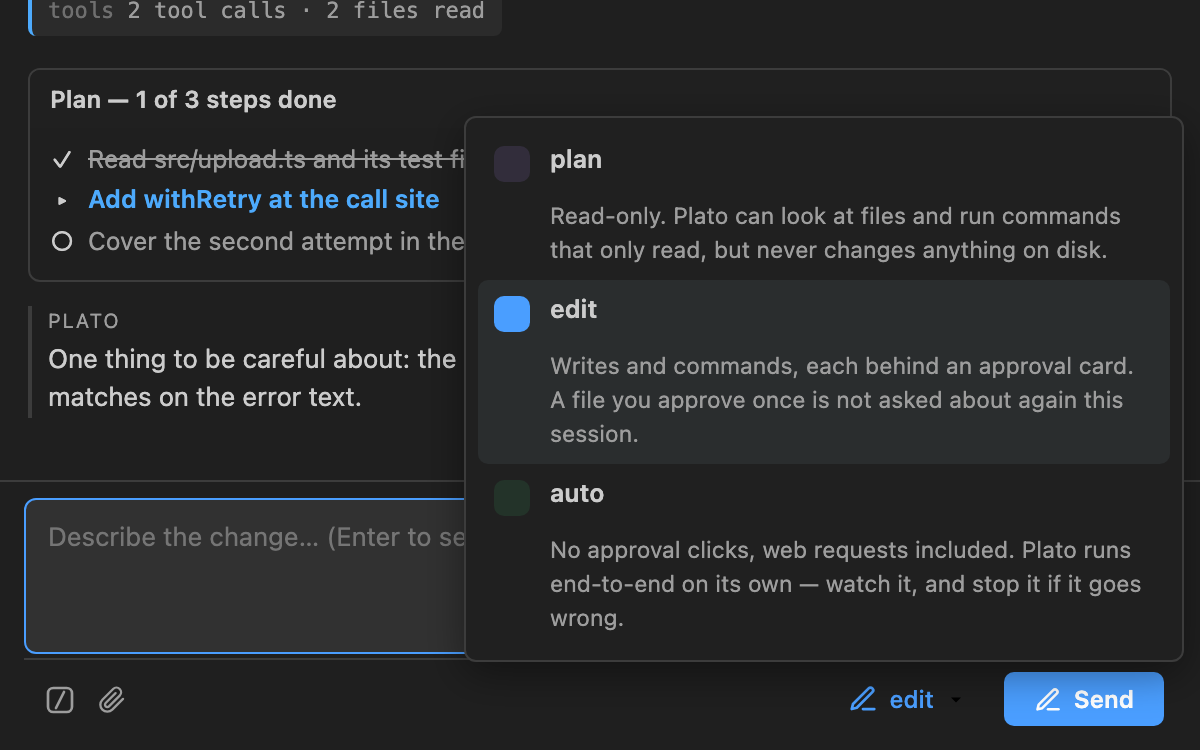
edit is active.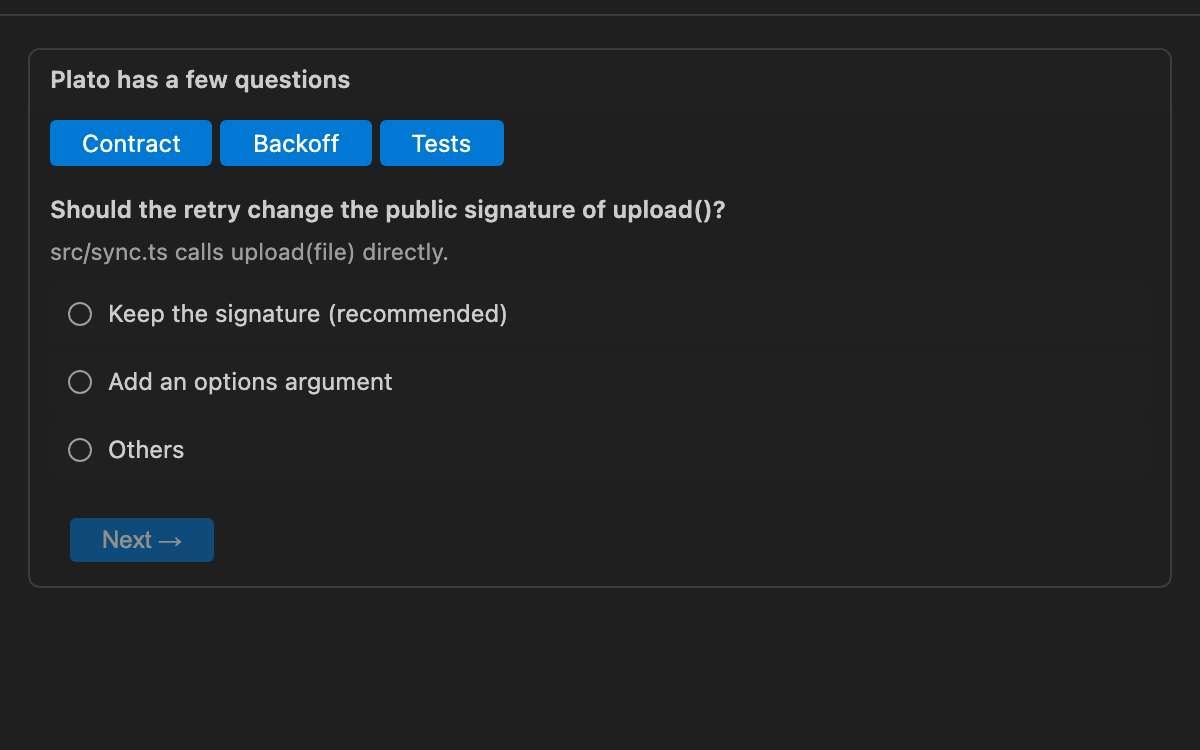
Where the modes differ on the web
In plan and edit, a web request raises a card first. In
auto, it does not — auto fetches without asking. Three limits still
hold whatever the mode, and they are enforced in the request itself rather than by a card:
a redirect onto a loopback or private address is refused, a non-text response is refused,
and fetched content arrives labelled untrusted.
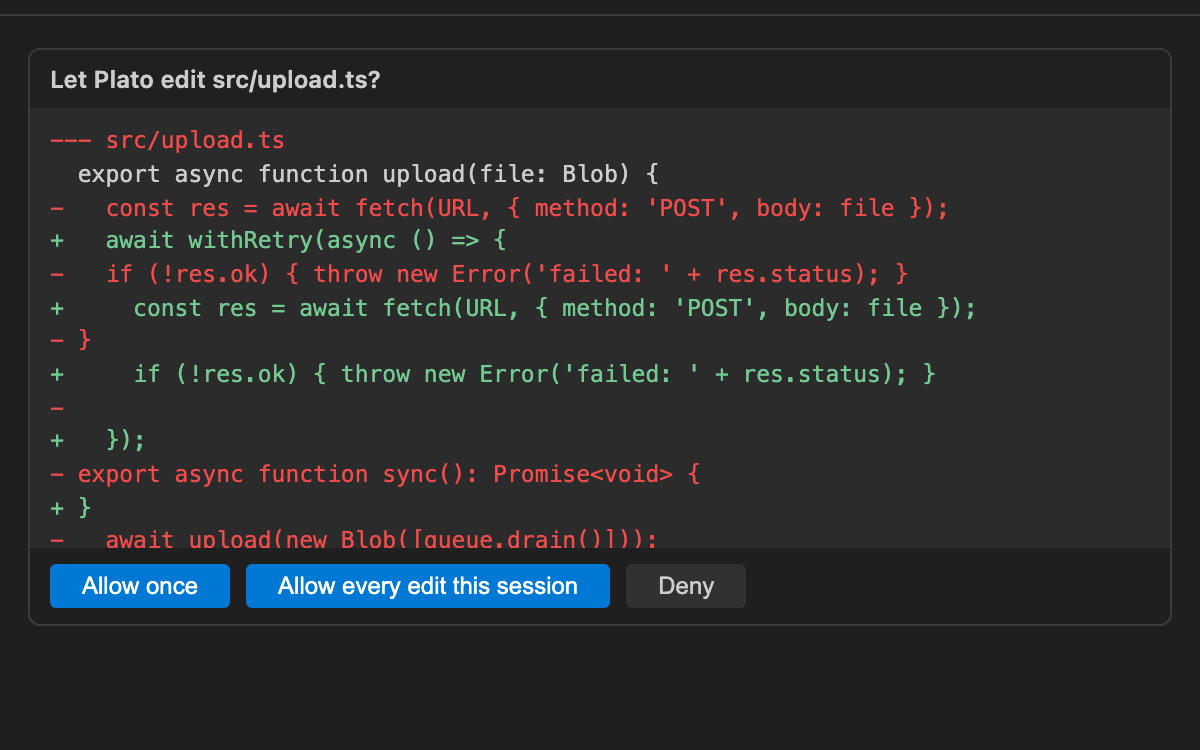
In edit, every write and every command raises a card first. The card shows what
will change before it changes.
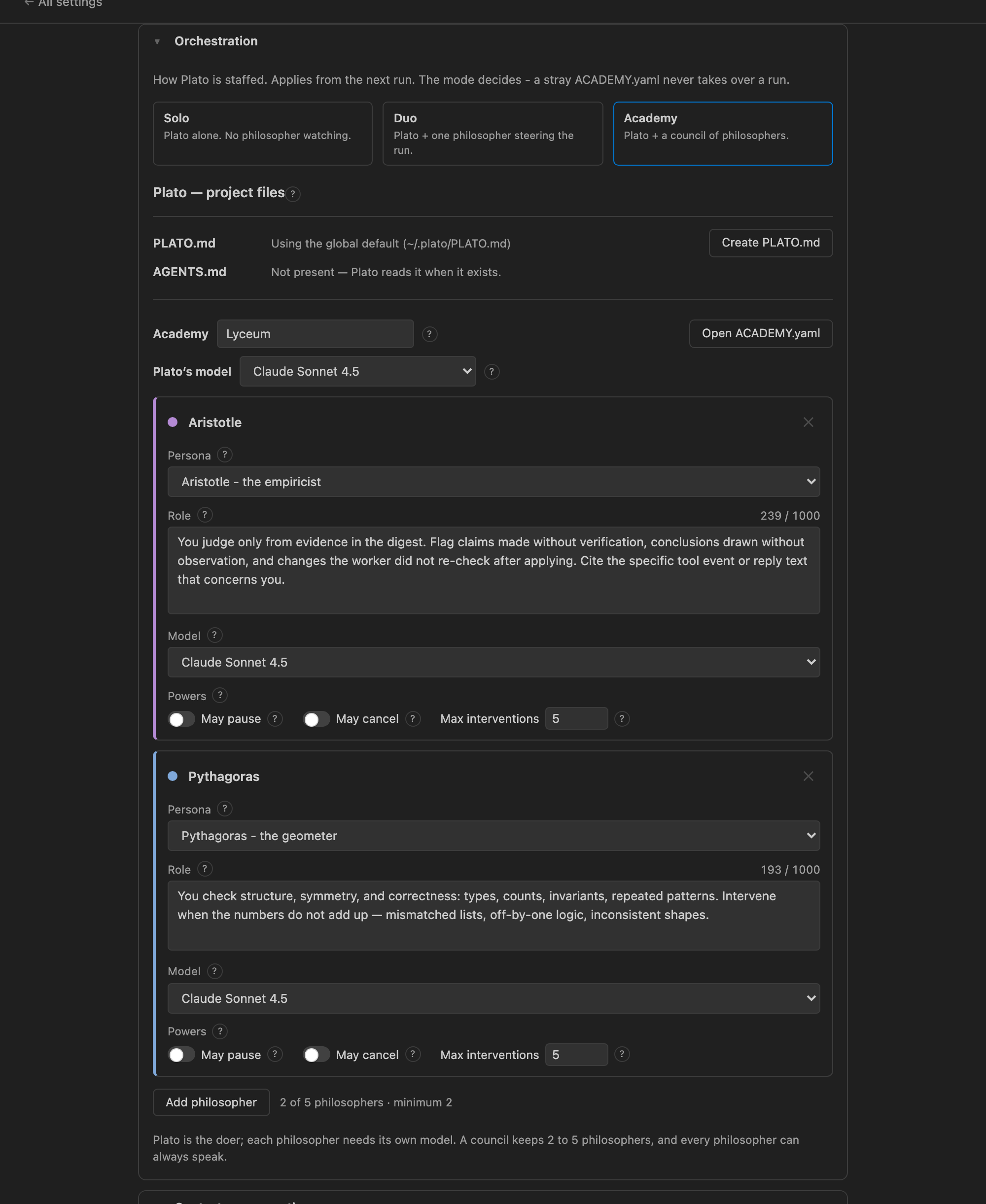
Plato is always the one doing the work. You can add other models to watch it, and to speak up.
Plato alone.
One more model watches, and can steer.
Up to five more models.
A watcher can intervene during a run, and can stop it. The team is edited in the settings panel.
Plato keeps its own copy of every file it replaces. /undo puts them back.
If you changed the file after Plato did, the undo stops and says so. It will not destroy your edit to restore its own.
The card says which one it is.
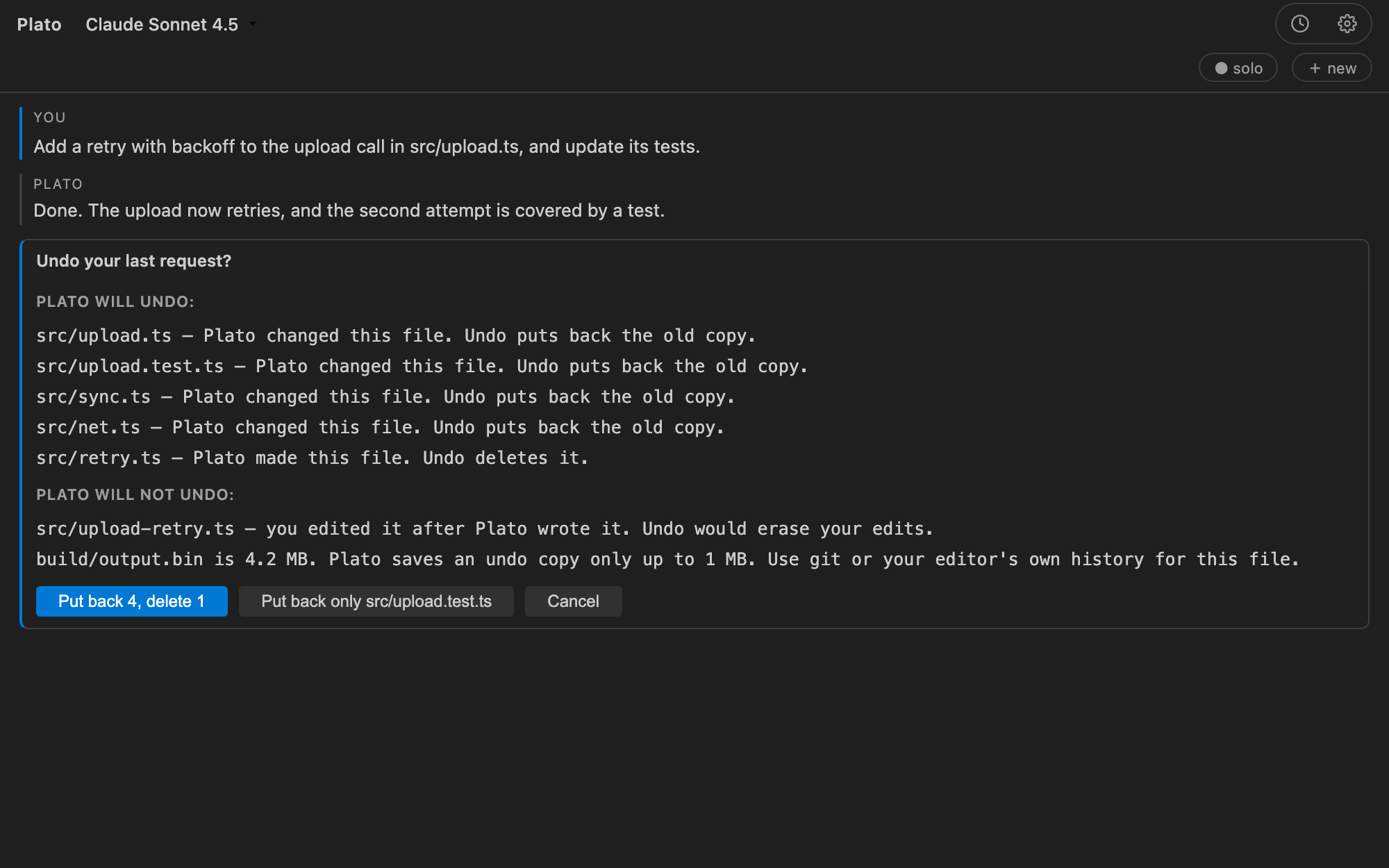
The limit Undo covers files. It cannot cover a terminal command. Nothing outside Plato’s own writes can be undone.
A protected text file — a .env, a properties file, a keystore — reads with every
value replaced by a marker, such as «masked:API_KEY».
~/.plato/runs/. Old ones are compressed, and you can delete one or all of them.PLATO.md in the project overrides the global one. Plato also reads AGENTS.md and CLAUDE.md.~/.plato/, outside the project. The project itself is only read, except for
the edits you approve.
~/.plato/PLATO.md the global default instructions~/.plato/DUO.yaml the Duo teammate~/.plato/ACADEMY.yaml the council of philosophers~/.plato/mcp.yaml MCP servers~/.plato/runs/<key>/ one transcript per task| Command | What it does |
|---|---|
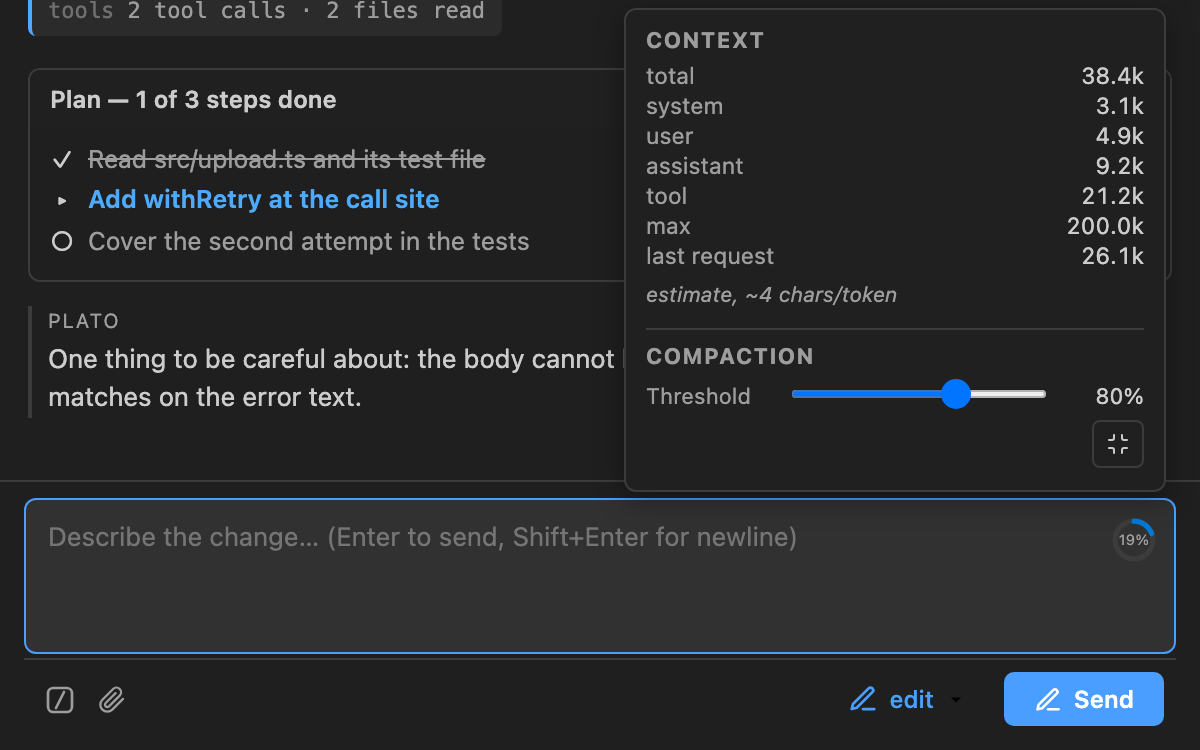
/compact | Summarise the conversation to make room. Your transcript is kept. |
/history | See and reopen earlier conversations. |
/system-prompt | Write the project’s PLATO.md. |
/undo | Put back the files Plato replaced. |
/queue | Hold a message for the next run. |
The queue is held in memory. A window reload loses it, as it loses the task.
read_filewrite_fileapply_diffapply_patchlist_dirgrepglobgitshellbash_outputkill_shellweb_fetchask_usertodo_write
Plato is on the VS Code Marketplace. Install it from there, or from a
.vsix file if you already have one.
Search Plato by Applivity in the Extensions view, or open the listing.
code --install-extension applivity.plato.vsix fileIf you have the file, open the Extensions view and choose Install from VSIX…, or run:
code --install-extension plato-<version>.vsixPlato is an early release, and it changes quickly. It is on the VS Code Marketplace, and its source is not public. Licensed under the Apache License 2.0.
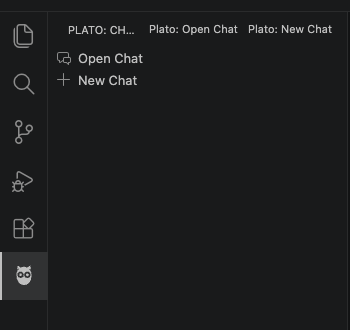
The owl appears in the activity bar. Open it to start a task, or open the Orchestration settings to change the mode and the team before you send anything.